
Counts happen after service
Owners need staff to count quickly after a shift without retyping paper notes into a spreadsheet.
Inventory management for restaurants
Know what’s on your shelves before your next supplier order. Count ingredients, drinks, and supplies on your phone. Start free with 100 active items, one location, three stocking areas, and one owner account. No credit card or time limit.
From your shelves to your next order
Try one pantry count before the next service. Keep your spreadsheet while you get comfortable.
Add your most-used ingredients and supplies, or import your spreadsheet. Assign them to areas such as Pantry, Walk-in, and Service Counter.
See how to add your items →Open a count on your phone, enter what is on the shelf, and complete the count to update inventory. The iOS app also lets you count offline.
See a stock count step by step →Review current quantities and low-stock items against your stock targets. Use that view to decide what needs attention before your next supplier order.
See how to review low stock →A pantry example
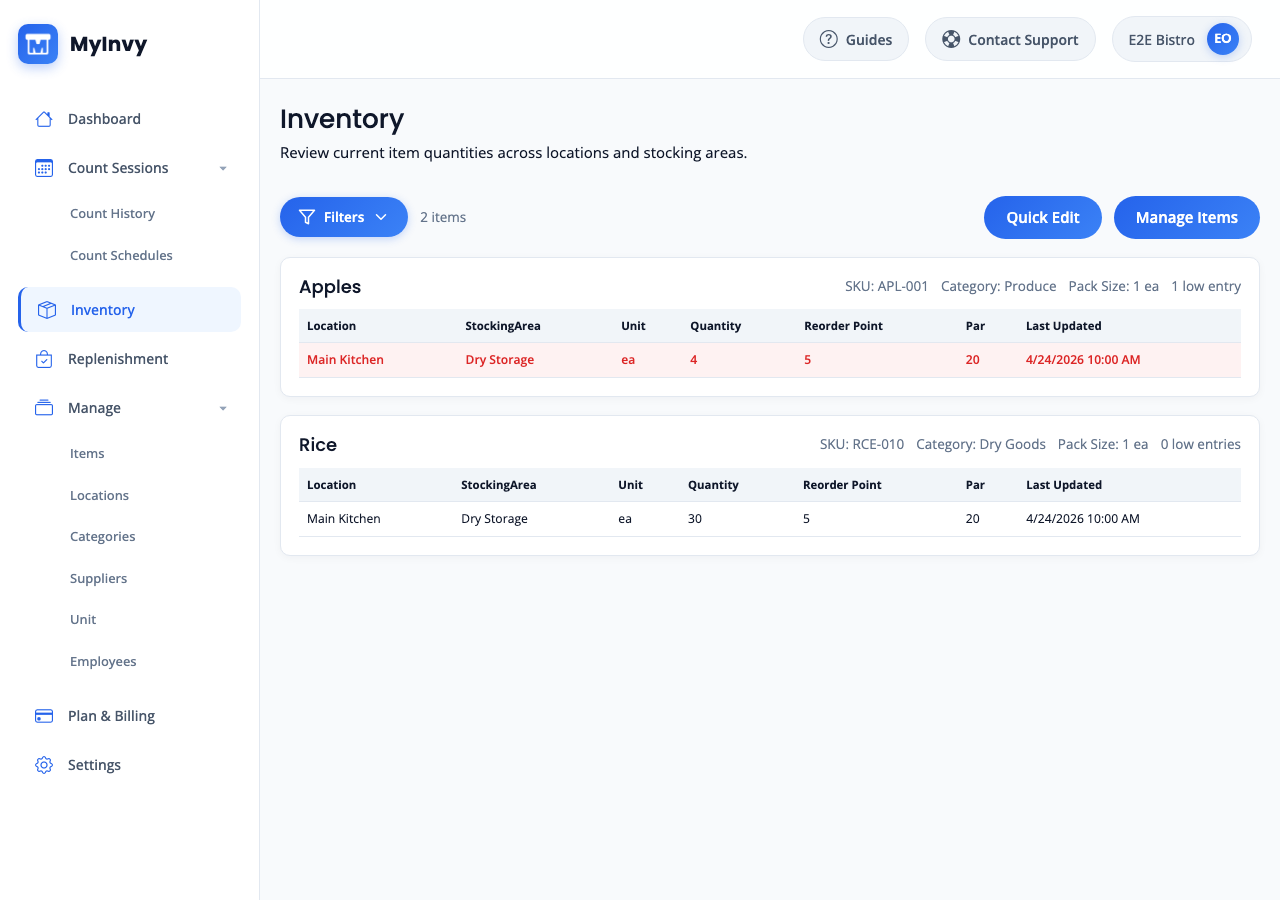
This example shows apples below their reorder point of five. With four on hand and a target of twenty, you can see the sixteen-apple gap before deciding what to buy.
Check deliveries already on order before purchasing. Counting, stock targets, and low-stock views are all included on Free.
Illustrative example. The product screen shows how stock quantities and targets appear in MyInvy.
Restaurant inventory management software helps owners track food, beverage, disposables, and supplies across kitchens, bars, pantries, walk-ins, and storage rooms so ordering decisions use current counts instead of stale spreadsheets.
Restaurant inventory goes wrong when counts happen late, totals go stale, and ordering depends on one spreadsheet. A missing prep item, disposable, or cleaning supply turns into an emergency before service.
Owners need staff to count quickly after a shift without retyping paper notes into a spreadsheet.
Kitchen, bar, pantry, walk-in, prep, and storage quantities need to stay separate without duplicate item records.
Low ingredients, disposables, or cleaning supplies can force emergency purchases or interrupt the next shift.
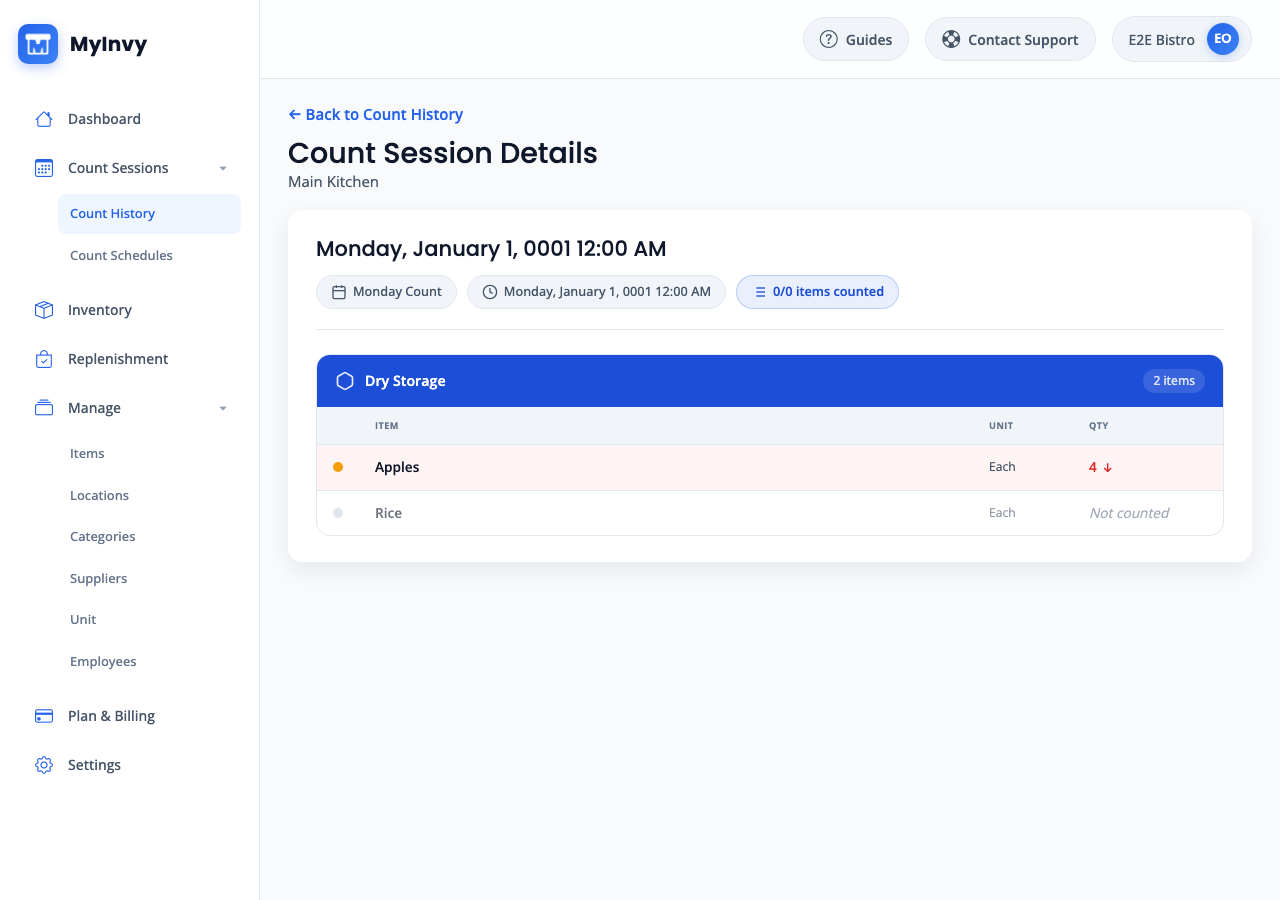
Run guided count sessions for your kitchen, pantry, or stockroom instead of rebuilding counts in a file afterward.
Count where stock lives and review low-stock items against par levels on Free. Plus and Pro plans add replenishment and transfer drafts; Pro adds staff access.
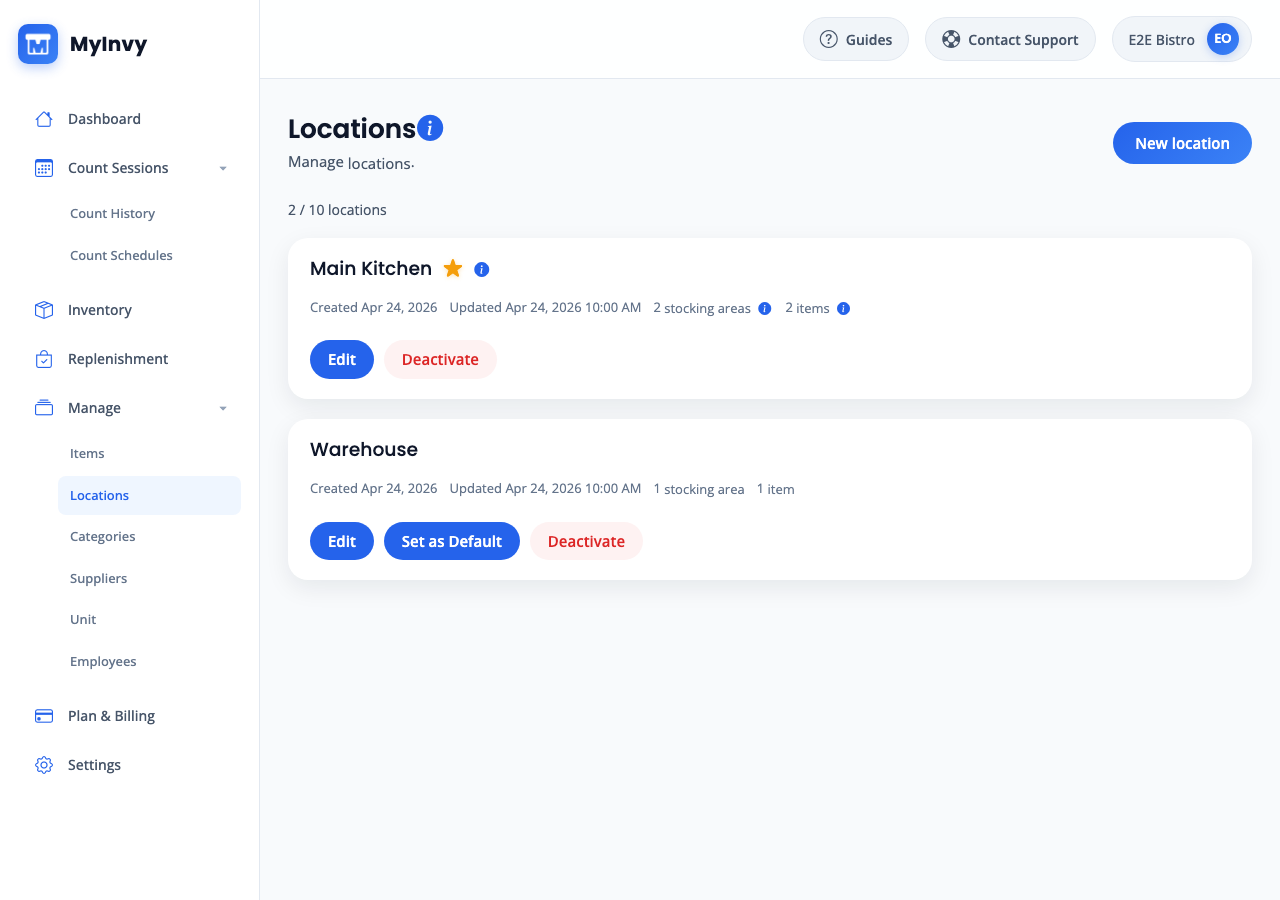
Locations and stocking areas let owners model the restaurant the way staff actually count it.
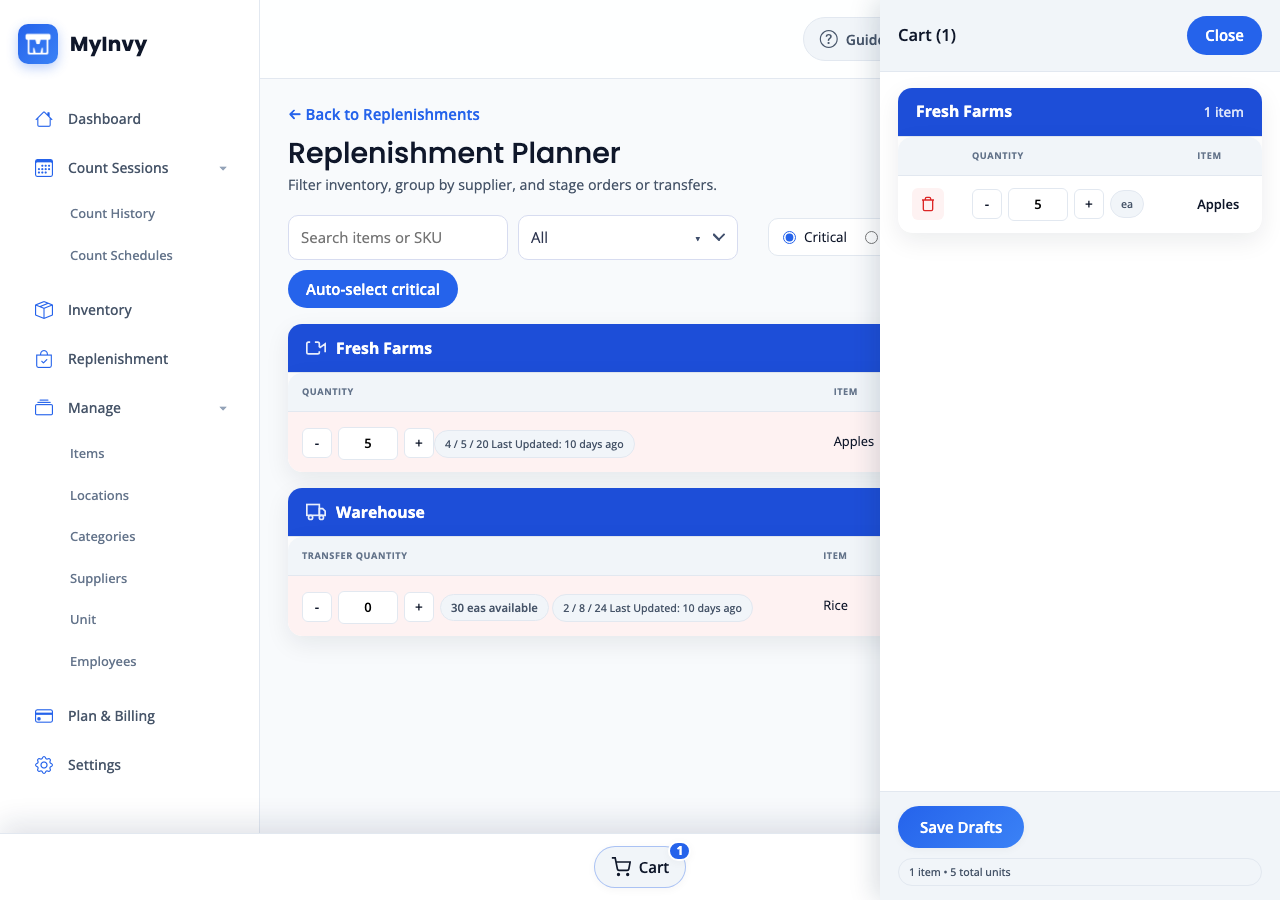
With Plus or Pro, use current quantities, par levels, and reorder points to build replenishment or transfer drafts.
Count stock, review low-stock items, set stock targets, and import or export your inventory with one owner account. Plus adds replenishment and transfers. Pro includes separate accounts for the owner and four teammates.
One olive oil item with 20 bottles on hand counts as one item.
For example: pantry, walk-in, and service counter at one restaurant.
No credit card required.
Restaurants FAQ
Yes. The Free plan includes 100 active items, one location, three stocking areas, and one owner. Mobile counts, low-stock views, par levels, and manual import and export are included, with no credit card or time limit.
No. Start with a few items you count regularly, such as ingredients in your pantry. Add more as you get comfortable. Free supports up to 100 active item records, regardless of the quantity you have of each item.
Yes. MyInvy supports locations and stocking areas, so a restaurant can track pantry, walk-in, bar, prep, and service-area quantities separately.
Yes. Start with structured items, mobile count sessions, and low-stock views on Free. Paid plans add replenishment drafts, and Pro includes team access control.
Yes. Offline mobile counting is included on Free for the owner. Pro adds separate staff accounts. Queued count updates sync when the connection returns.
Yes. Owners can start free, import or skip items during setup, and keep the spreadsheet until the team is ready to switch.